Modals
A modal is a dialog over the editor. You register it once with an id, then open and close it by that id from anywhere: a header button, a panel, a shortcut or an event listener.
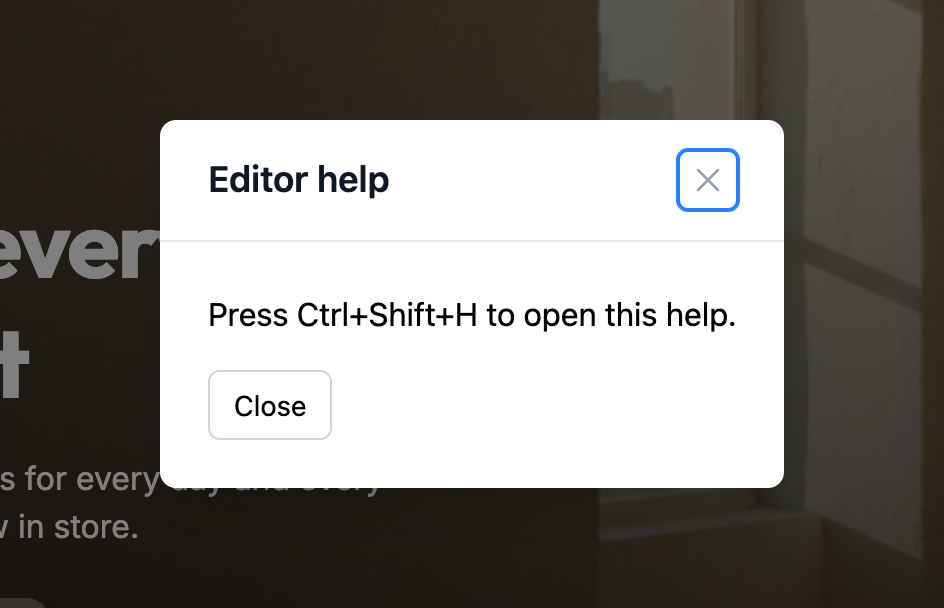
Registering a Modal
import HelpModal from './HelpModal.vue';

editor.ui.registerModal({
  id: 'help',
  title: 'Editor help',
  size: 'md',
  render: HelpModal,
});| Option | Description |
|---|---|
id | Unique id, used to open and close the modal. Registering the same id again replaces it. |
title | Shown in the modal header. Without a title, the modal has no header, only a close button. |
size | xs, sm, md, lg, xl, 2xl or full. Defaults to md. full fills the window. |
render | The modal content. |
A Vue component receives two props: editor and modalId, the id it was registered with.
<!-- HelpModal.vue -->
<script setup>
defineProps({ editor: Object, modalId: String });
</script>

<template>
  <div class="help-modal">
    <p>Press Ctrl+Shift+H to open this help.</p>
    <button type="button" @click="editor.ui.closeModal(modalId)">Close</button>
  </div>
</template>
The content is created each time the modal opens, so it always starts from a fresh state.
Opening and Closing
editor.ui.openModal('help');
editor.ui.closeModal('help');
People can also close a modal with Escape, by clicking outside it, or with its close button. Opening a modal that is already open does nothing. Opening a second modal stacks it above the first.
Open a modal from a header button:
editor.ui.registerHeaderAction({
  id: 'help',
  slot: 'right',
  button: {
    text: 'Help',
    onClick: (event, { editor }) => editor.ui.openModal('help'),
  },
});
Or from a keyboard shortcut:
editor.ui.registerKeyboardShortcut({
  key: 'ctrl+shift+h',
  handler: ({ editor }) => editor.ui.openModal('help'),
});
Passing Data to a Modal
openModal() takes only the id. To hand data to the modal, keep it in a reactive object that both sides import:
// confirmState.js
import { reactive } from 'vue';

export const confirmState = reactive({ blockId: null });import { confirmState } from './confirmState';
confirmState.blockId = editor.getActiveBlock()?.id;
editor.ui.openModal('confirm-reset');<!-- ConfirmReset.vue -->
<script setup>
import { confirmState } from './confirmState';
const props = defineProps({ editor: Object, modalId: String });
function reset() {
props.editor.setBlockProperty(confirmState.blockId, 'heading', '');
props.editor.ui.closeModal(props.modalId);
}
</script>
<template>
<div class="confirm-reset">
<p>Clear the heading of this block?</p>
<button type="button" @click="reset">Clear</button>
</div>
</template>Reacting to Modals
The editor emits ui:modal:open and ui:modal:close on editor.events with the modalId:
editor.events.on('ui:modal:close', ({ modalId }) => {
  if (modalId === 'help') {
    console.log('Help closed');
  }
});
Plain DOM Modals
render can also be a function that returns an element:
editor.ui.registerModal({
  id: 'about',
  title: 'About',
  render: ({ editor }) => {
    const content = document.createElement('div');
    content.className = 'about-modal';
    content.textContent = 'Store tools, version 1.0';

    return content;
  },
});
editor.ui.unregisterModal(id) closes a modal if it is open and removes it.