Custom Templates
Custom templates let merchants create alternate layouts for products, categories, and CMS pages, then assign those layouts to individual resources from the Bagisto admin.
For example, a store can use the default product template for most products, but assign a custom Gift Box template to products that need a different layout.
Supported Types
Custom templates are supported for:
productcategorypage
Theme Files
Developers can ship custom templates with a theme by placing them in a type-first directory:
resources/views/templates/
├── product/
│   └── gift-box.json
├── category/
│   └── sale.yaml
└── page/
    └── landing.visual.php
Supported data template extensions are:
.json.yaml.yml.visual.php
The default product, category, or CMS page template can live either at the root of templates or as index inside the type directory:
resources/views/templates/page.yaml
resources/views/templates/page/index.yaml
The same pattern applies to product and category.
Creating Templates In The Editor
Open the template selector in the Visual Editor, then open the variant panel for Products, Categories, or Pages.
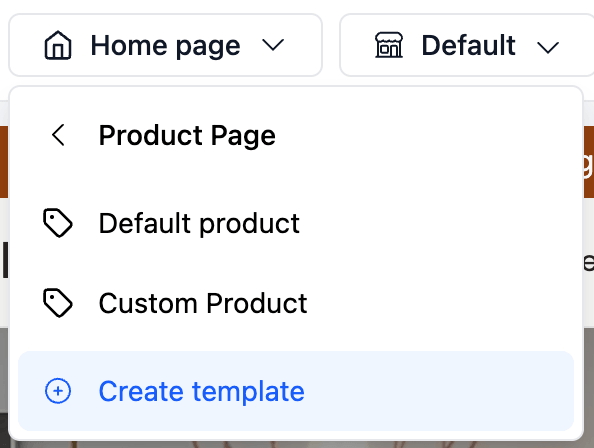
The variant panel shows:
- The default template for that type.
- Existing custom templates for that type.
- A Create template action.
The create modal asks for a template name and a base template.
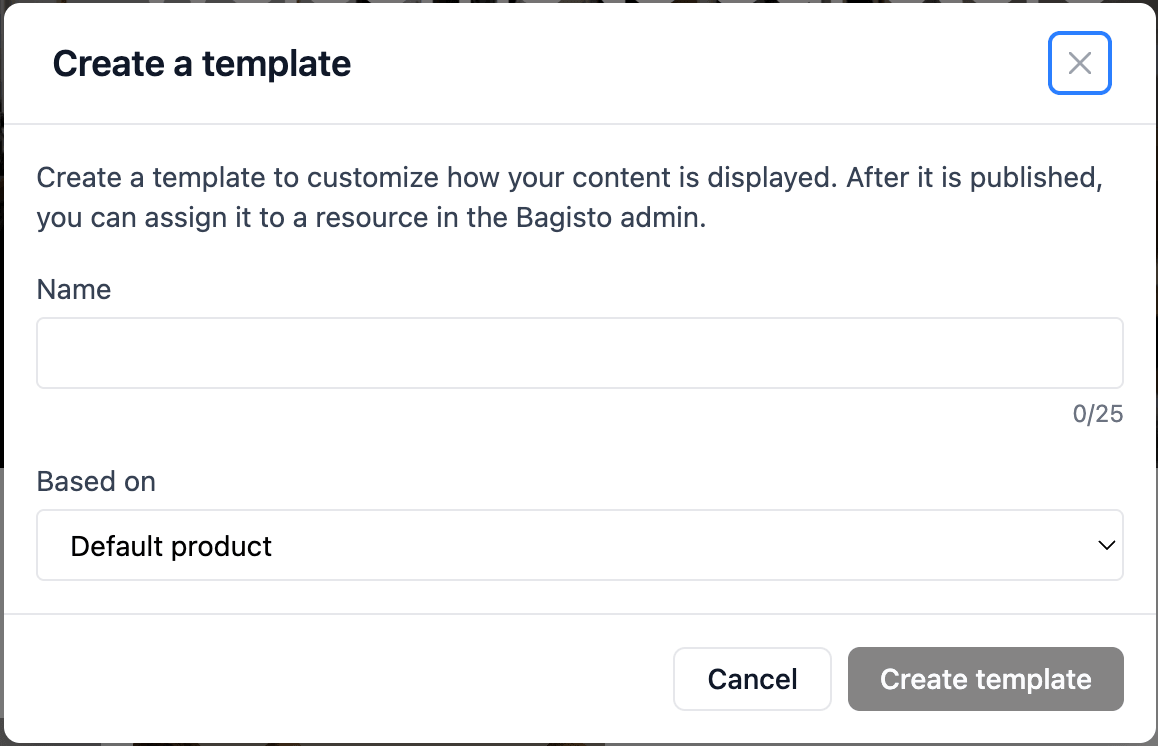
Creation options:
- Empty template starts with an empty main content area.
- Default product/category/page starts from the default template when the theme provides editable template data for that type.
- Existing templates can be duplicated as a starting point.
Shared regions, such as the header and footer, stay shared across templates.
Assigning Templates
Template assignment is optional. Enable it with BAGISTO_VISUAL_TEMPLATE_ASSIGNMENTS=true and run php artisan migrate before assigning custom templates in the Bagisto admin.
After a custom template is published, assign it from the relevant Bagisto admin form.
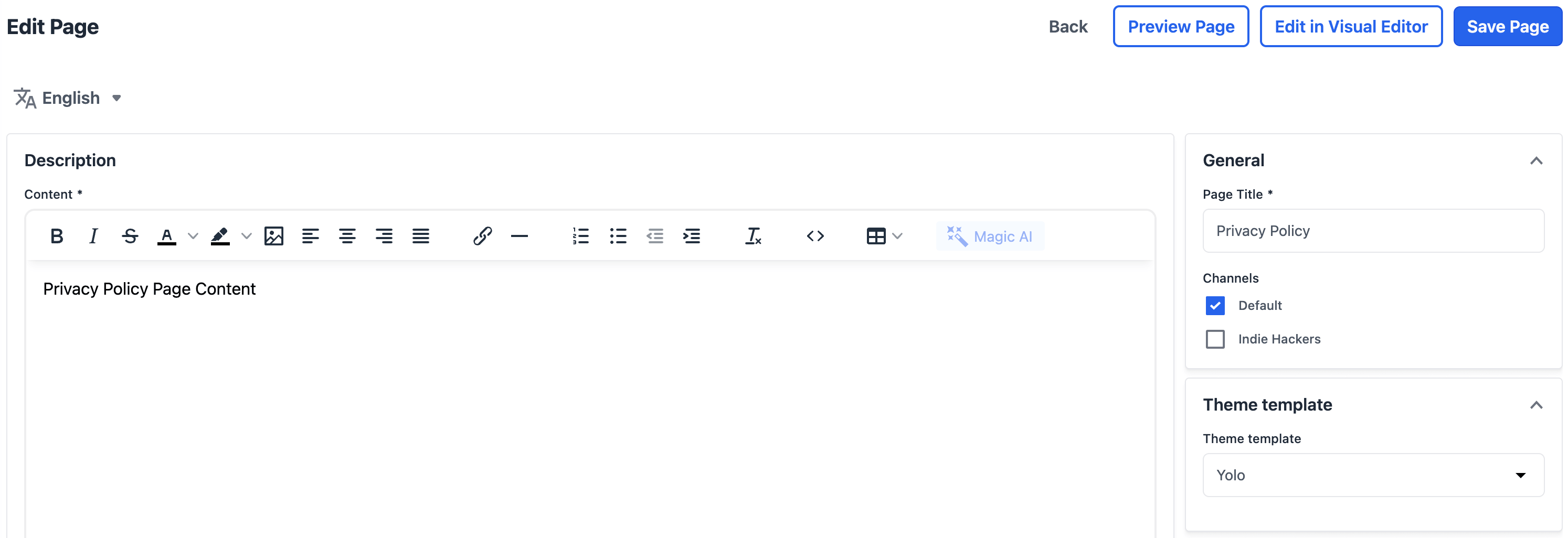
Assignment behavior:
| Resource | Admin location | Behavior |
|---|---|---|
| Product | General panel | Can vary by channel and locale |
| Category | Theme template accordion | Can vary by locale |
| CMS page | Theme template accordion | Can vary by locale |
Empty/default assignment means the resource uses the default template for its type.
CMS pages with a valid assigned custom page template also show shortcuts to open that page directly in the Visual Editor.
Storefront Behavior
On the storefront, Bagisto Visual renders the assigned custom template when the resource has one. Otherwise it falls back to the default product, category, or CMS page template.
In the editor, you can preview a custom template before assigning it to a resource.
Limitations
- Custom templates are supported only for
product,category, andpage.